How to Download Vimeo Videos from Streaming HLS Sources
Learn how to work with Vimeo HLS streams and capture the final MP4 cleanly from the available manifests.
tags: ['streamlink', 'ffmpeg', 'vimeo']
How to download Vimeo Videos (streaming via HLS / streamlink)
Vimeo embeds on platforms like Skool deliver their video through HLS (HTTP Live Streaming).
Two reliable tools can handle these HLS streams:
Streamlinkpointed at the player.vimeo.com URL (withffmpegfor cleanup)yt-dlpaimed directly at the m3u8 stream URL
Method 1: Streamlink at the player.vimeo.com URL (w/ ffmpeg)
Streamlink ships with a built-in Vimeo plugin that automatically fetches the master manifest from https://player.vimeo.com/video/<id>.
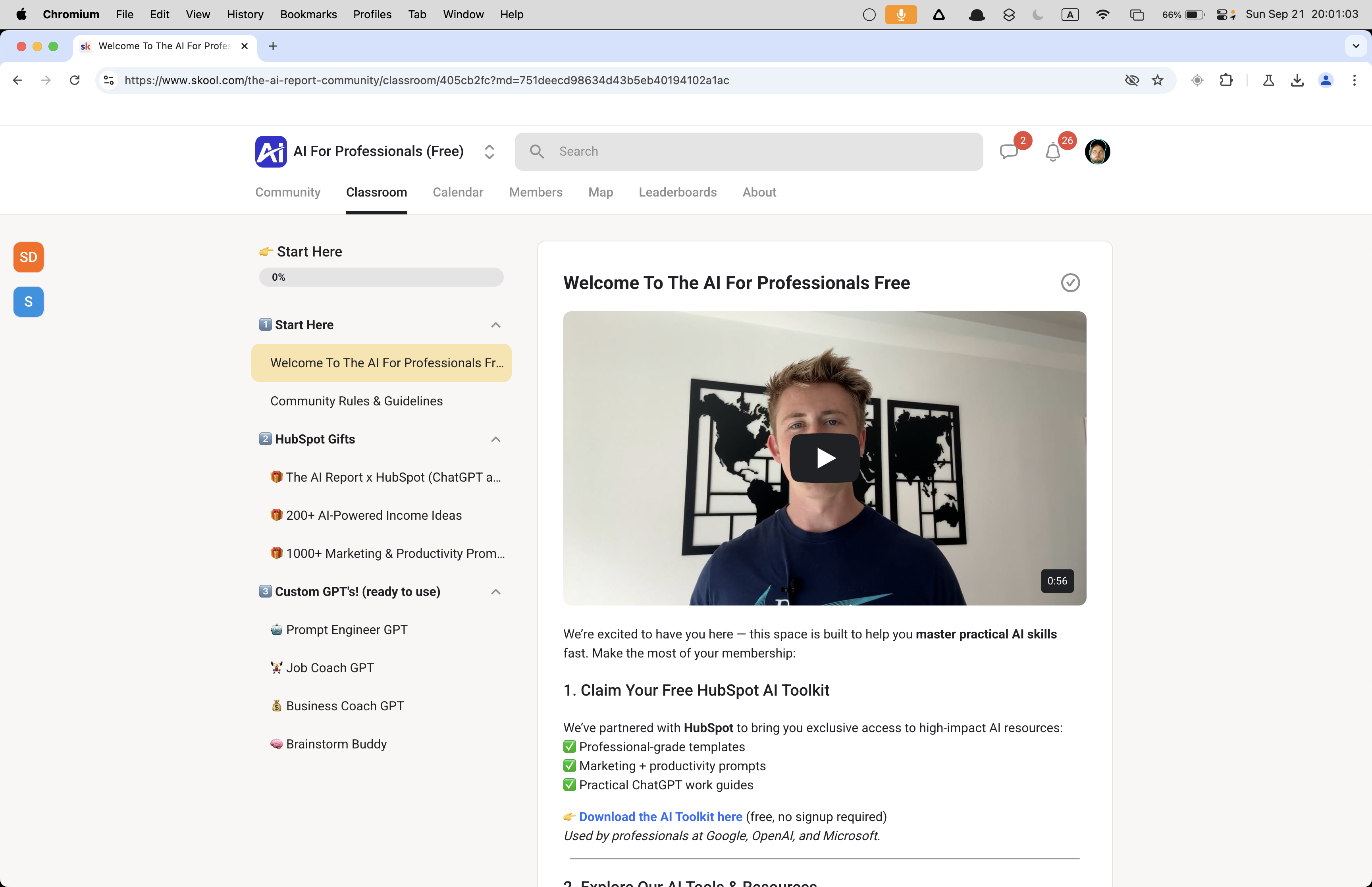
For this scenario, you can typically find the Vimeo URL embedded in the page's DOM, or you can reconstruct it from just the video ID.
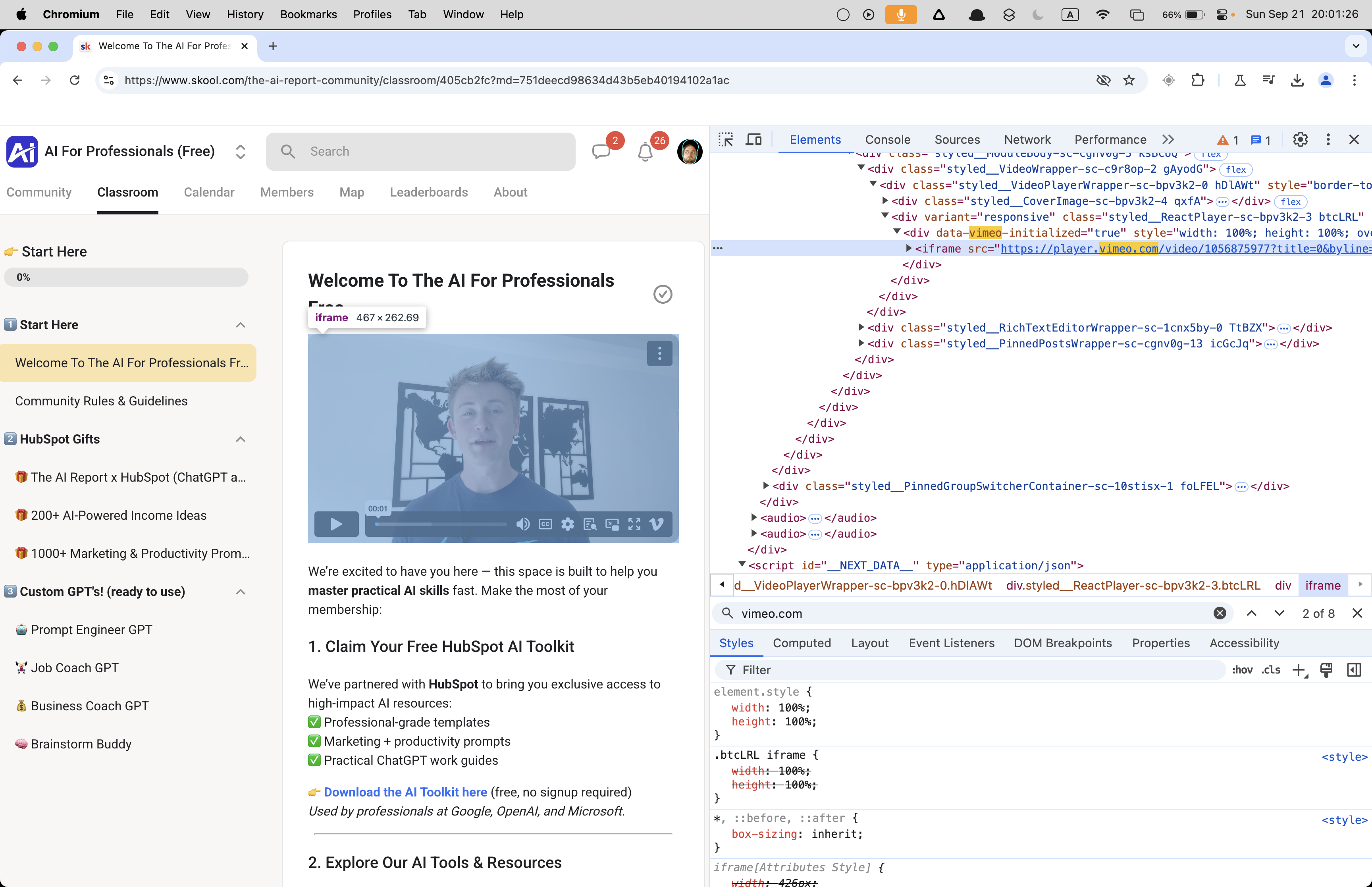
From there, streamlink takes care of the download.
👉 Or grab the Vimeo Video Downloader instead: https://serp.ly/vimeo-video-downloader
How to download a Vimeo video from the player.vimeo.com URL
- Extract the player.vimeo.com URL from the page source
- Run
streamlinkto capture the media - Optionally remux with ffmpeg for a clean MP4
- BONUS: Pipe the two commands together in a single line
❯ streamlink https://player.vimeo.com/video/1056875977 best -o ~/Desktop/vimeo_video.mp4
[cli][info] Found matching plugin vimeo for URL https://player.vimeo.com/video/1056875977
[stream.hls][warning] Unrecognized language for media playlist: language='en-x-autogen' name='English (auto-generated)'
[cli][info] Available streams: 240p (worst), 360p, 540p, 720p, 1080p (best)
[cli][info] Opening stream: 1080p (hls-multi)
[cli][info] Writing output to
/Users/devin/Desktop/vimeo_video.mp4
[utils.named_pipe][info] Creating pipe streamlinkpipe-5915-1-3021
[utils.named_pipe][info] Creating pipe streamlinkpipe-5915-2-7551
[cli][info] Stream ended
[cli][info] Closing currently open stream...
[download] Written 22.24 MiB to /Users/devin/Desktop/vimeo_video.mp4 (5s @ 4.26 MiB/s)
→ This produces an MPEG-TS (transport stream) file.
On macOS, the resulting MP4 plays back fine, but you'll notice it lacks a preview thumbnail — the kind you normally see on video files in Finder.
The reason is straightforward: Streamlink dumps the raw transport stream data into an MP4 container without properly reconstructing the metadata index (the "moov atom"). Without that atom positioned correctly, media players can't generate a thumbnail or offer smooth seeking.
The fix is a quick remux with ffmpeg. Running the file through ffmpeg rewrites the container structure correctly, which restores thumbnails and full seek support.
❯ ffmpeg -i vimeo_video.mp4 output.mp4
ffmpeg version 7.1.1 Copyright (c) 2000-2025 the FFmpeg developers
  built with Apple clang version 17.0.0 (clang-1700.0.13.3)
  configuration: --prefix=/opt/homebrew/Cellar/ffmpeg/7.1.1_3 --enable-shared --enable-pthreads --enable-version3 --cc=clang --host-cflags= --host-ldflags='-Wl,-ld_classic' --enable-ffplay --enable-gnutls --enable-gpl --enable-libaom --enable-libaribb24 --enable-libbluray --enable-libdav1d --enable-libharfbuzz --enable-libjxl --enable-libmp3lame --enable-libopus --enable-librav1e --enable-librist --enable-librubberband --enable-libsnappy --enable-libsrt --enable-libssh --enable-libsvtav1 --enable-libtesseract --enable-libtheora --enable-libvidstab --enable-libvmaf --enable-libvorbis --enable-libvpx --enable-libwebp --enable-libx264 --enable-libx265 --enable-libxml2 --enable-libxvid --enable-lzma --enable-libfontconfig --enable-libfreetype --enable-frei0r --enable-libass --enable-libopencore-amrnb --enable-libopencore-amrwb --enable-libopenjpeg --enable-libspeex --enable-libsoxr --enable-libzmq --enable-libzimg --disable-libjack --disable-indev=jack --enable-videotoolbox --enable-audiotoolbox --enable-neon
  libavutil      59. 39.100 / 59. 39.100
  libavcodec     61. 19.101 / 61. 19.101
  libavformat    61.  7.100 / 61.  7.100
  libavdevice    61.  3.100 / 61.  3.100
  libavfilter    10.  4.100 / 10.  4.100
  libswscale      8.  3.100 /  8.  3.100
  libswresample   5.  3.100 /  5.  3.100
  libpostproc    58.  3.100 / 58.  3.100
Input #0, mpegts, from 'vimeo_video.mp4':
  Duration: 00:00:56.45, start: 1.525000, bitrate: 3306 kb/s
  Program 1
    Metadata:
      service_name    : Service01
      service_provider: FFmpeg
  Stream #0:0[0x100]: Video: h264 (High) ([27][0][0][0] / 0x001B), yuv420p(tv, bt709, progressive), 1920x1080, 24 fps, 24 tbr, 90k tbn
  Stream #0:1[0x101]: Audio: aac (LC) ([15][0][0][0] / 0x000F), 48000 Hz, mono, fltp, 192 kb/s
Stream mapping:
  Stream #0:0 -> #0:0 (h264 (native) -> h264 (libx264))
  Stream #0:1 -> #0:1 (aac (native) -> aac (native))
Press [q] to stop, [?] for help
[libx264 @ 0x132005100] using cpu capabilities: ARMv8 NEON
[libx264 @ 0x132005100] profile High, level 4.0, 4:2:0, 8-bit
[libx264 @ 0x132005100] 264 - core 164 r3108 31e19f9 - H.264/MPEG-4 AVC codec - Copyleft 2003-2023 - http://www.videolan.org/x264.html - options: cabac=1 ref=3 deblock=1:0:0 analyse=0x3:0x113 me=hex subme=7 psy=1 psy_rd=1.00:0.00 mixed_ref=1 me_range=16 chroma_me=1 trellis=1 8x8dct=1 cqm=0 deadzone=21,11 fast_pskip=1 chroma_qp_offset=-2 threads=24 lookahead_threads=4 sliced_threads=0 nr=0 decimate=1 interlaced=0 bluray_compat=0 constrained_intra=0 bframes=3 b_pyramid=2 b_adapt=1 b_bias=0 direct=1 weightb=1 open_gop=0 weightp=2 keyint=250 keyint_min=24 scenecut=40 intra_refresh=0 rc_lookahead=40 rc=crf mbtree=1 crf=23.0 qcomp=0.60 qpmin=0 qpmax=69 qpstep=4 ip_ratio=1.40 aq=1:1.00
Output #0, mp4, to 'output.mp4':
  Metadata:
    encoder         : Lavf61.7.100
  Stream #0:0: Video: h264 (avc1 / 0x31637661), yuv420p(tv, bt709, progressive), 1920x1080, q=2-31, 24 fps, 12288 tbn
      Metadata:
        encoder         : Lavc61.19.101 libx264
      Side data:
        cpb: bitrate max/min/avg: 0/0/0 buffer size: 0 vbv_delay: N/A
  Stream #0:1: Audio: aac (LC) (mp4a / 0x6134706D), 48000 Hz, mono, fltp, 69 kb/s
      Metadata:
        encoder         : Lavc61.19.101 aac
[out#0/mp4 @ 0x6000034d8000] video:13954KiB audio:486KiB subtitle:0KiB other streams:0KiB global headers:0KiB muxing overhead: 0.268337%
frame= 1351 fps=269 q=-1.0 Lsize=   14479KiB time=00:00:56.20 bitrate=2110.2kbits/s speed=11.2x
[libx264 @ 0x132005100] frame I:6     Avg QP:15.36  size: 83066
[libx264 @ 0x132005100] frame P:420   Avg QP:17.98  size: 22378
[libx264 @ 0x132005100] frame B:925   Avg QP:24.00  size:  4747
[libx264 @ 0x132005100] consecutive B-frames:  4.3%  6.5% 20.2% 69.0%
[libx264 @ 0x132005100] mb I  I16..4: 25.3% 57.5% 17.2%
[libx264 @ 0x132005100] mb P  I16..4:  5.0% 11.5%  0.5%  P16..4: 17.6%  7.1%  3.8%  0.0%  0.0%    skip:54.5%
[libx264 @ 0x132005100] mb B  I16..4:  0.2%  0.4%  0.0%  B16..8: 21.5%  2.2%  0.5%  direct: 0.5%  skip:74.7%  L0:50.1% L1:45.7% BI: 4.2%
[libx264 @ 0x132005100] 8x8 transform intra:66.9% inter:67.7%
[libx264 @ 0x132005100] coded y,uvDC,uvAC intra: 28.1% 20.1% 3.2% inter: 4.0% 3.2% 0.0%
[libx264 @ 0x132005100] i16 v,h,dc,p: 47% 20% 22% 11%
[libx264 @ 0x132005100] i8 v,h,dc,ddl,ddr,vr,hd,vl,hu: 36% 11% 43%  1%  2%  2%  2%  1%  1%
[libx264 @ 0x132005100] i4 v,h,dc,ddl,ddr,vr,hd,vl,hu: 31% 18% 21%  4%  6%  6%  5%  4%  5%
[libx264 @ 0x132005100] i8c dc,h,v,p: 75% 11% 13%  1%
[libx264 @ 0x132005100] Weighted P-Frames: Y:0.0% UV:0.0%
[libx264 @ 0x132005100] ref P L0: 74.5%  9.0% 12.0%  4.5%
[libx264 @ 0x132005100] ref B L0: 91.8%  7.0%  1.1%
[libx264 @ 0x132005100] ref B L1: 97.3%  2.7%
[libx264 @ 0x132005100] kb/s:2021.68
[aac @ 0x132190030] Qavg: 251.876
→ This transcodes/remuxes the file into a properly structured MP4.
And now everything works as expected!
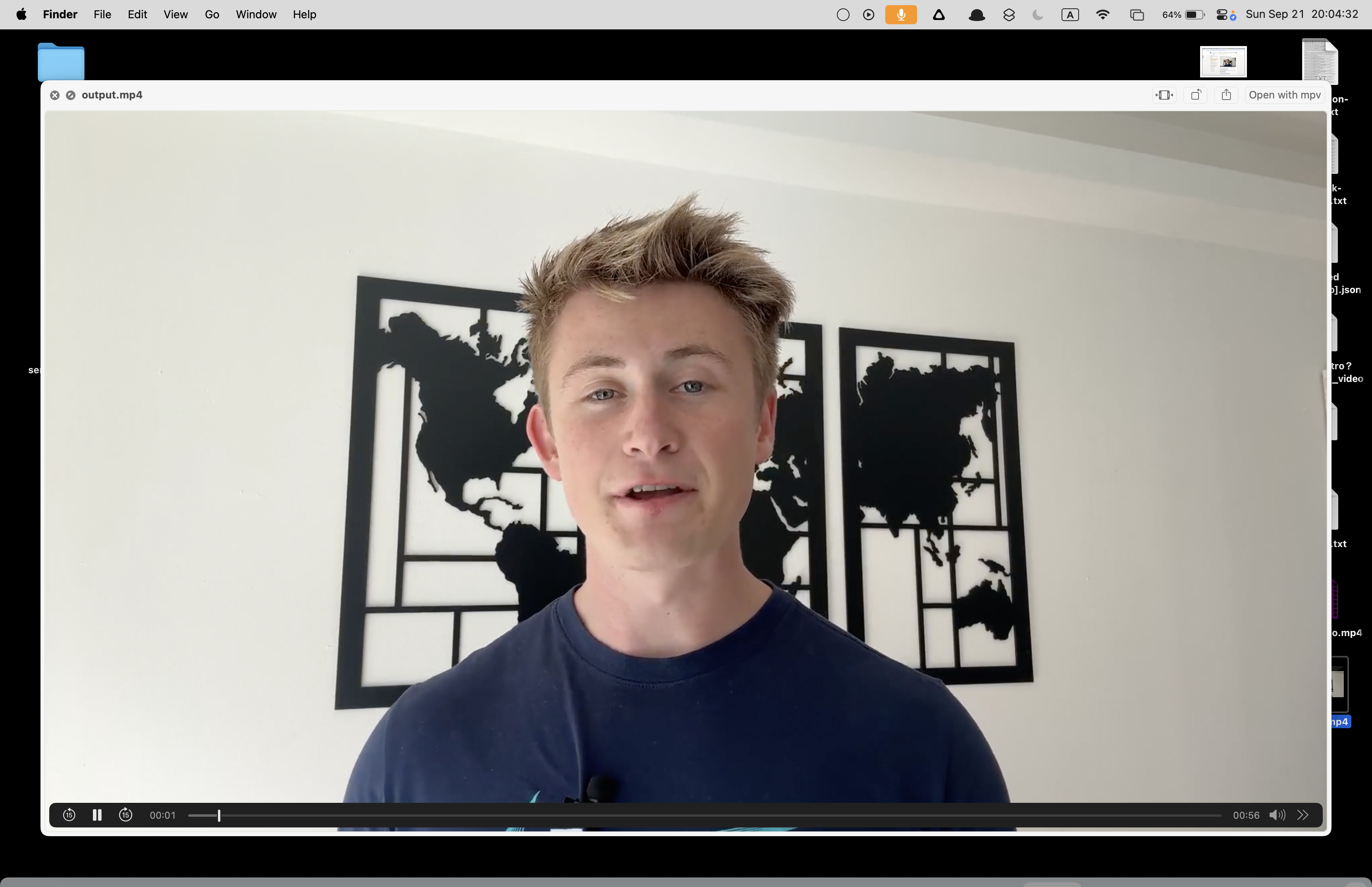
In the case above, the video was public (or at least playable without authentication), so Streamlink's Vimeo plugin could pull the manifest through Vimeo's API without needing your browser session.
Streamlink handles all the necessary HTTP requests internally, which is why the bare command worked without specifying any headers or cookies.
For private videos or those requiring authentication, you'll need to supply headers or cookies (using --http-header or --http-cookie). The simple command happened to succeed here, but any automation you build should capture and forward these credentials for locked-down content.
👉 Get the Vimeo Video Downloader: https://serp.ly/vimeo-video-downloader
Bonus: Chain the commands together
streamlink -O "URL" best --stream-segment-threads 5 | ffmpeg -i pipe:0 -c copy -movflags +faststart ~/Desktop/vimeo.mp4
👉 Try the Vimeo Video Downloader
Related
- Repository
- Release
- How to Download Vimeo Videos for FREE -- MAC
- How to download Vimeo Videos (streaming via HLS / streamlink)
- How to Download Vimeo Video for FREE (No Extensions Needed) -- WINDOWS
- How to Download Password Protected Vimeo Videos